> ## Documentation Index
> Fetch the complete documentation index at: https://docs.taxibutler.com/llms.txt
> Use this file to discover all available pages before exploring further.
# Logging in & navigating
> Learn how to log in to and navigate the Taxi Butler PORTAL.
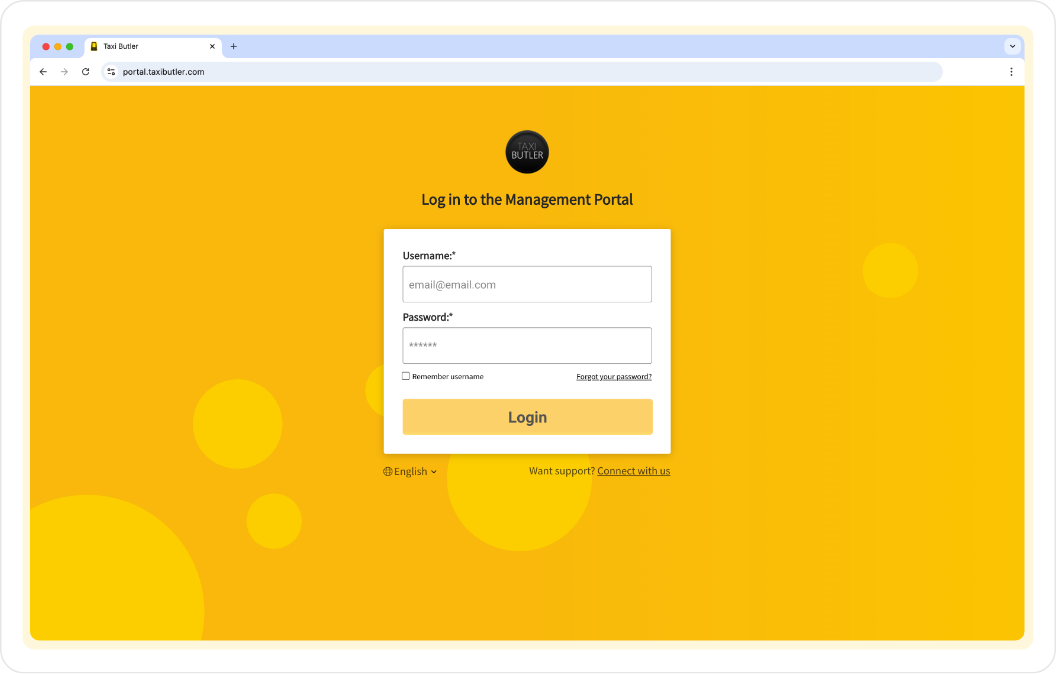 ## Logging in to the PORTAL
Visit [https://portal.taxibutler.com](https://portal.taxibutler.com/#!/companies/1564/dashboard) to get started.
During your onboarding, you'll have received your login credentials to access the PORTAL. Enter your email address and password then click on "Log in".
Lost your credentials or didn't receive them? [Email support](https://www.taxibutler.com/support/) for help.
Start using the PORTAL, set up your company and add venues & devices.
## Navigating the PORTAL
### Top navigation
**Company dropdown**
If you have access to multiple companies in your PORTAL account, you'll see a dropdown field next to the Taxi Butler logo to switch between companies you have access to.
**Share feedback**
The "Share feedback" button lets you share any feedback, comments or suggestions you may have.
**Profile**
The "Profile" icon, found in the top-right, can be used to [manage your profile and account](/fleets/portal/account).
### Main navigation
The main yellow navigation bar provides easy access to the [dashboard](/fleets/portal/pages/dashboard), [venues](/fleets/portal/pages/venues), [statistics](/fleets/portal/pages/statistics), [bookings](/fleets/portal/pages/bookings), [company settings](/fleets/portal/personalisation), [billing information](/fleets/portal/account), and other useful information.
## Logging in to the PORTAL
Visit [https://portal.taxibutler.com](https://portal.taxibutler.com/#!/companies/1564/dashboard) to get started.
During your onboarding, you'll have received your login credentials to access the PORTAL. Enter your email address and password then click on "Log in".
Lost your credentials or didn't receive them? [Email support](https://www.taxibutler.com/support/) for help.
Start using the PORTAL, set up your company and add venues & devices.
## Navigating the PORTAL
### Top navigation
**Company dropdown**
If you have access to multiple companies in your PORTAL account, you'll see a dropdown field next to the Taxi Butler logo to switch between companies you have access to.
**Share feedback**
The "Share feedback" button lets you share any feedback, comments or suggestions you may have.
**Profile**
The "Profile" icon, found in the top-right, can be used to [manage your profile and account](/fleets/portal/account).
### Main navigation
The main yellow navigation bar provides easy access to the [dashboard](/fleets/portal/pages/dashboard), [venues](/fleets/portal/pages/venues), [statistics](/fleets/portal/pages/statistics), [bookings](/fleets/portal/pages/bookings), [company settings](/fleets/portal/personalisation), [billing information](/fleets/portal/account), and other useful information.